How to Get a Home Health Monitoring Setup Working With Smart Devices (2026)
Table of Contents
Intro
What Counts as a Home Patient Monitoring System ?
Why Home Patient Monitoring Really Matters in 2026
Key Smart Devices for Tracking at Home
Step by Step Guide to Setting Up a Home Patient Monitoring System
Best Practices for Consistent, accurate monitoring
Pros of Smart Home Health Monitoring
Common Problems and how to fix them
The Next Phase of Home Patient Monitoring
Conclusion
Frequently Asked Questions , (FAQs)
## Introduction
Healthcare is getting smarter, faster, and kind of way more personalized than it used to be. In 2026, smart home patient monitoring setups are quietly changing the way people deal with chronic illnesses, bounce back after surgery , and keep a steady watch on general wellbeing. Instead of doing another pile of hospital visits, patients can keep an eye on vital signs from home with connected smart devices, and honestly it feels less stressful, in a way
At home, a patient monitoring system pulls wearable tech, wireless medical tools, mobile apps, and cloud health platforms into one place. It gathers health information in real time, then it sends updates along quickly. That information can be shared right away with healthcare providers so abnormal changes get spotted earlier and the intervention can happen sooner
Whether you’re caring for an elderly family member, managing diabetes, monitoring heart disease, or just wanting to stay proactive… setting up a smart home monitoring system is now a lot easier than people expect
A home patient monitoring system is basically a set of smart medical devices, that measures and shares health information from home, like remotely. It keeps an eye on key indicators all the time, and then sends it to phones or tablets, or sometimes straight to healthcare professionals.
In practice it works kinda like this, data is captured by sensors, then transmitted, and after that clinicians can review it. Sometimes it’s used for ongoing care, other times for faster follow ups, but the idea stays similar.
Common health metrics include heart rate , blood pressure, blood oxygen level (SpO₂), blood glucose, body temperature, weight, ECG readings, sleep quality, and physical activity
You might also hear this described as remote patient monitoring (RPM).
## Why Home Patient Monitoring Matters in 2026
Healthcare teams are leaning more and more toward remote monitoring , because it gives a lot of useful perks , and honestly it can help both patients and staff.
### Key reasons
- spotting medical issues earlier
- fewer trips back and forth to hospitals
- smoother control of long term conditions
- better follow through with medicines
- nonstop health tracking
- reduced total healthcare expenses
- improved day to day life
- more calm for family caregivers
In 2026 , Artificial Intelligence can sort through patient data on its own. If readings look a little off or “weird” it can notify the healthcare team right away , usually through the connected platform.
## Essential smart devices for home patient monitoring
Below are typical smart gadgets you may end up using, depending on the condition, and how your care plan is arranged:
| Smart Device | Purpose |
|---|---|
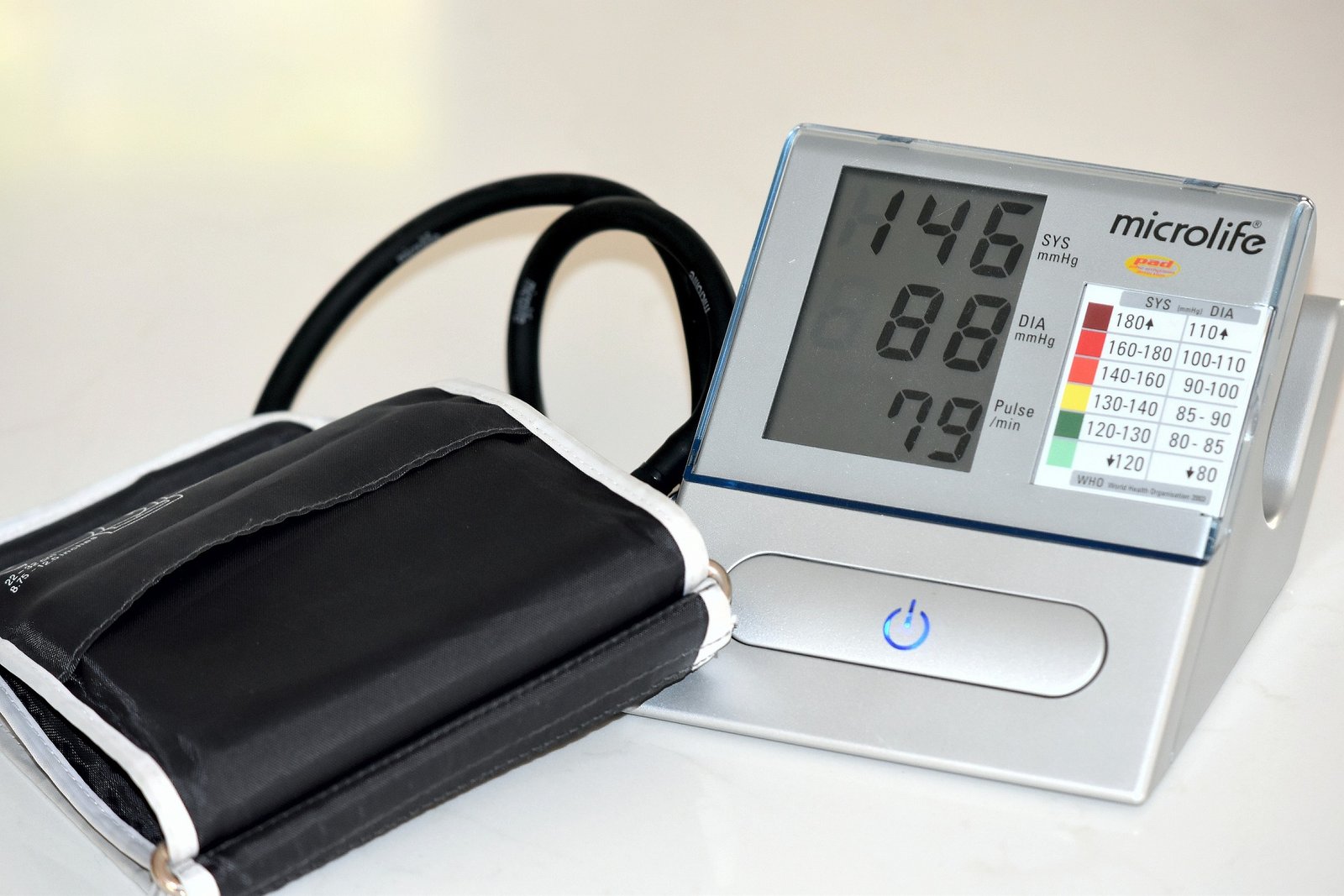
| Smart Blood Pressure Monitor | Tracks blood pressure automatically |
| Pulse Oximeter | Measures blood oxygen and pulse rate |
| Smart Glucometer | Monitors blood sugar levels |
| Digital Smart Thermometer | Records body temperature |
| Smart ECG Monitor | Detects heart rhythm abnormalities |
| Smart Weight Scale | Tracks weight and BMI |
| Fitness Tracker | Measures activity, heart rate, sleep, and calories |
| Smart Medication Reminder | Helps patients take medicine on time |
| Smartwatch | Combines multiple health sensors |
| Home Health Hub Tablet | Displays all health data in one place |
## Step by step: setting up a home patient monitoring system
### Step 1: figure out what you actually need
Start with the basics, which health topics should be watched regularly.
Examples include, but are not limited to:
- Diabetes
- High blood pressure
- Heart disease
- Asthma
- COPD
- recovery after surgery
- elderly care
- pregnancy monitoring
Different conditions often call for different sensors, so don’t rush into buying every gadget you see on a shelf or ad page.
### Step 2: select devices that play nicely together
Choose medical grade devices that can connect over Wi‑Fi, Bluetooth, or a cellular link.
Also check that they work with your phone , or the specific health monitoring app you want to use. When you can , look for approvals or recognitions from trusted health authorities, so you’re not guessing.
### Step 3: set up the mobile health app
Most devices come with an app, this is where you can do the usual things.
In the app you can:
- look at health reports
- keep past information on file
- get medication nudges
- receive AI based health notes
Also make a secure account, use a strong password, and try not to recycle an old one from some other service , even if it’s tempting.
### Step 4: connect the devices
Pair each smart device with your smartphone.
A typical setup is something like:
- switch on Bluetooth or Wi‑Fi
- open the manufacturer’s app
- tap to add a new device
- follow the pairing screens , carefully
- confirm the data sync works
After it’s paired, readings are often uploaded automatically.
### Step 5: configure alerts that matter
Most systems let you set alert ranges, so you get pinged when a measurement drifts outside safe boundaries.
Examples:
- high blood pressure
- low oxygen level
- high blood sugar
- irregular heartbeat
- missed medication
Alerts can be routed to Patient, family members, caregivers, and doctors. (Depends on what the setup allows.)
### Step 6: build a daily routine
Try to create a schedule that supports steady tracking, not random check ins whenever you remember.
Example schedule:
| Time | Activity |
|---|---|
| Morning | Blood pressure, glucose, weight |
| Afternoon | Activity tracking |
| Evening | Temperature, heart rate |
| Night | Sleep monitoring |
Being consistent helps , it boosts accuracy too, and trends become easier to notice over time.
### Step 7: Share Reports with Healthcare Providers
Many apps generate clear, easy-to-read reports. Doctors can review things like:
- Weekly trends
- Monthly statistics
- Medication effectiveness
- Warning signs
That supports more informed treatment decisions, and can reduce the “guessing” part of care.
## Flow Chart
Choose Health Condition
↓
Purchase Smart Devices
↓
Install Health App
↓
Connect Devices
↓
Collect Health Data
↓
Cloud Storage
↓
↓
Doctor Reviews Reports
↓
Better Patient Care
## Best Practices for Accurate Monitoring
To get dependable results, it’s best to do a few things pretty consistently, and yeah it matters that you don’t rush it. Measure at the same time each day, keep devices fully charged , update device software regularly. If the manufacturer says to calibrate devices, do that too. Also maintain a stable internet connection , it’s kind of the backbone. Follow the manufacturer’s instructions as closely as you can. Store devices in a clean, dry spot. And of course consult your healthcare provider before changing treatment based on any readings, because that part can’t be guess-work.
Benefits of Smart Home Patient Monitoring
Better Disease Management
Continuous monitoring helps manage chronic conditions effectively, in a more ongoing way than “just once in a while”.
Early Detection
AI identifies unusual patterns before symptoms become severe, which is kinda huge.
Greater Convenience
Patients can avoid unnecessary clinic visits while staying connected to healthcare professionals.
Improved Medication Compliance
Smart reminders reduce missed doses, and that makes adherence more steady over time.
Enhanced Family Support
Caregivers can monitor loved ones remotely , plus receive emergency alerts when needed.
Cost Savings
Remote monitoring reduces travel expenses, emergency visits, and hospitalization costs.
Personalized Healthcare
Doctors can tailor treatment plans using long-term health data , not only occasional clinic measurements.
Common Challenges and Solutions
Internet problems , and yeah, they happen | Fix them by relying on a steady Wi-Fi link or grabbing cellular-enabled devices
Device compatibility | Choose items that play nice with standard health platforms
Battery life | Keep charging on schedule, and if needed bring extra batteries around
Data privacy | Turn on encryption , use strong passwords, and enable two-factor authentication
User confusion | Just follow the setup guides, or contact healthcare providers directly
Inaccurate readings | Make sure you use the device the right way, and recalibrate when the manual says
Future of Home Patient Monitoring
Remote care at home is going to get even more “smarter” and it doesn’t look like it’s going to slow down any time soon.
A few emerging ideas include :
AI driven predictive health analytics
Smart home integration using voice assistants
Ongoing non-invasive glucose tracking
Wearable ECG patch systems
Digital twins meant for individualized care
Fall detection tools for seniors
Automated emergency response notifications
5G-ready, real-time health monitoring
Improved biosensors built into clothing
Telehealth consultations blended into monitoring platforms
Overall, these tools will nudge healthcare toward prevention first, more personal support, and broader access, for more people than before.
Conclusion
Setting up a home patient monitoring system with smart devices in 2026 is honestly a pretty practical choice if you want more control over personal health, yet still stay connected to healthcare professionals. If patients go with dependable devices, install secure health applications, stick to a steady monitoring rhythm, and then share the right information (not too much, not too little) with their medical team, it can lead to faster, more timely support, without the feeling that they have to be in the hospital all the time .
Also, as artificial intelligence tools, wearable tech, and connected healthcare keep progressing, home monitoring will likely keep showing up more and more in modern care. That can help with patient outcomes, ease costs, and support healthier everyday routines.
Frequently Asked Questions (FAQs)
1. What is a home patient monitoring system ?
It’s basically a set of smart medical devices that measure your health markers in your home, then securely send that info to healthcare providers. Think of it like a quiet, continuous check in, without the usual clinic waiting room
2. Which smart devices are most important
A smart blood pressure monitor, a pulse oximeter, a glucometer , a digital thermometer , a smartwatch, and a smart weight scale are some of the usual instruments people use for home monitoring. Often they’re chosen because they’re relatively easy to use, and the data is pretty clear
3. Is home patient monitoring safe ?
Mostly yes. When you use medical-grade devices and secure apps, home monitoring is generally safe and effective . Even so, you should still stick to the instructions from your healthcare provider, no shortcuts
4. Can doctors monitor patients remotely
Yes. A lot of remote patient monitoring platforms let clinicians look at readings closer to real time , and they can also get alerts when numbers drift outside normal ranges. That part is pretty helpful when someone needs faster attention
5. Does home patient monitoring replace doctor visits
Not really. It supports normal care by collecting ongoing health data between appointments, so doctors can make smarter and more informed decisions later